Recent LEGO Updates

GallaghersArt Forums

Update on the E-126 MOC

LDraw.xml Ver. 1.81.3 for LDR > LDD Conversions

All LEGO Updates

Gallery Updates

9/17/2009 MIKESLEGO Gallery Update

4/8/2009 Portfolio Gallery Update

All Gallery Updates

Forums Updates

Micro Scale MOC's 05/15/2010

Ohio erie canal lock and boat 05/14/2010

Bridge Deck 02 05/14/2010

Bridge Ver. 9 05/14/2010

Cannot view site, login, create membership or you are banned. 04/03/2010

Visit Forums


Auto-login on future visits

Monday, January 11, 2010

GallaghersArt Forums

I just made my own forums live over the weekend. The main purpose at this time is to allow me to release some of the LDR files that go with some of my MOC’s, enable more info to be posted without creating more pages and bogging down my main site, allow others to share their MOC’s and enable some open discussions on some subjects and MOC’s.

You do not need a membership to view or download all the files that I will be posting as I cherry pick them from my huge collection of LDR files and pictures.

To keep the site somewhat secure you will be required to join and become a member to post. Membership is free but allows posting and replying to posts.

There is an area related to the LDraw.xml and members can post questions and fixes.

As I love LEGO Log Cabins and custom SNOT Roads users can share their own MOC’s for others to view and comment on. I will also post others work that relates to any areas of the forums.

Just a few areas will be open for members to create new posts and I ask these areas keep with the subject matter of each area. Most of the other areas will enable me to post entries of everything I want to share, and allowing members to reply to these posts.

Hope you enjoy, Happy New Year!

Gallagher

Click here to go to the Forums

(0) Comments
Saturday, January 09, 2010

Update on the E-126 MOC

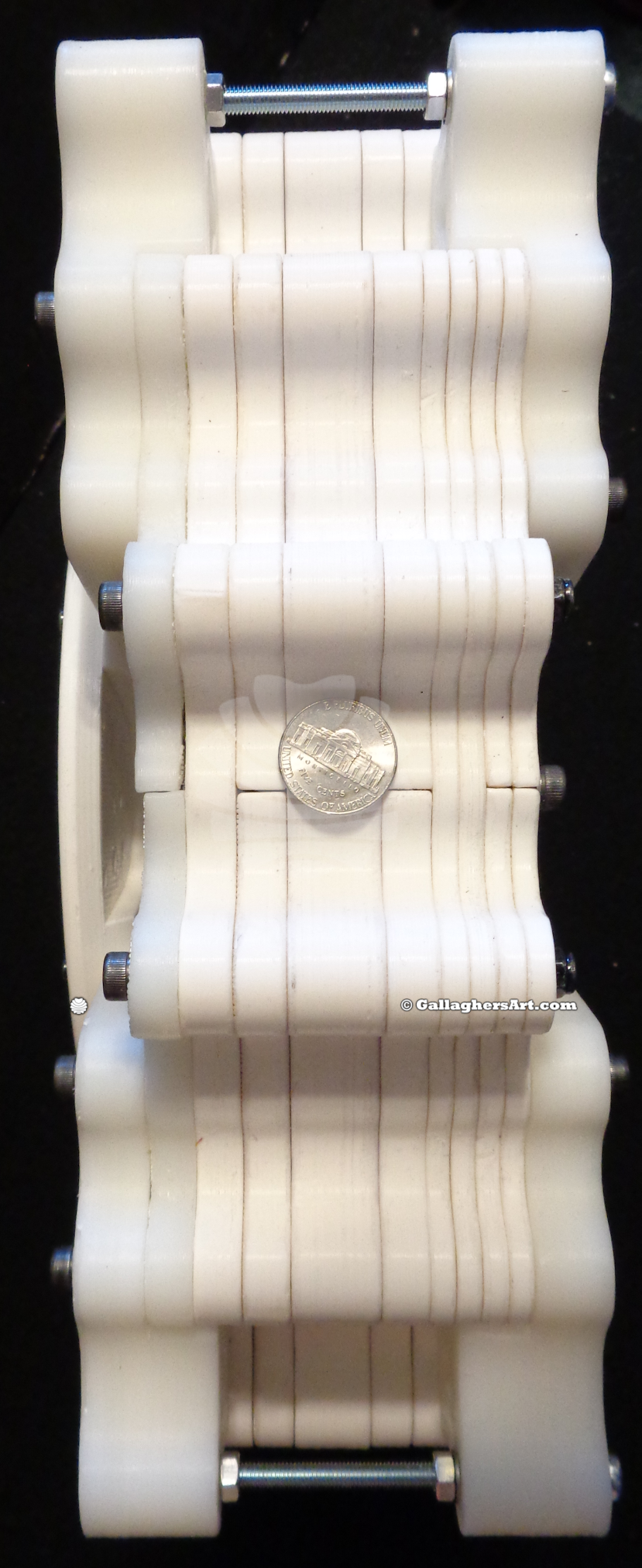
Working on my 3rd revision of the hub and geared areas of the E-126 MOC. These new revision are being made in MLCad so at some point I will have whole MOC made in LDR and MLCad.

The picture below is how it is looking. The center MOC is to scale and is the finial size. The lower white bricks at the bottom of the MOC is the width of the tower at its base. This base is only 3 bricks tall to show the height of a Minifig. And this model is made to Minfig scale if the Minifig was 6ft tall in real life.


(0) Comments
Monday, December 28, 2009

LDraw.xml Ver. 1.81.3 for LDR > LDD Conversions

Glad to announce a new updated version of the LDraw.xml now at version 1.81.3 with LDD version 3.0.11 with brick version 114.

Do to some browsers adding characters to the XML file I now have both the beta and public versions as ZIP downloads, just unpack and use as normal. Also files have been removed from Brickshelf.

With the LEGO Universe donation a huge amount of parts have been given to LDraw. Currently those parts start with an “m” (m6105.dat) once the LDraw committee brings these parts into the LDraw library the “m” will be removed (6105.dat).

Currently this LDraw.xml will use “m” parts, official and unofficial LDraw parts. Unfortunately I could not create a single LDraw.xml file to work with both parts. So my best recommendation is if your parts are not importing into LDD, I would first create a test LDD file with a single part of all the parts you want to use in your model, export to LDR and allow MLcad to give you errors on what parts are missing. Then Visit the LDraw site to find and download the parts you may need.

View my forums on the LDraw.xml for more info and lists of updated parts in each update. LDraw.xml Forum.

Lugent thread about the LEGO Universe parts

LDraw Wiki page

All most all the current LDD parts are now done, just a handful are not done.

As always the current (working only) public LDraw.xml can be found here (Public version 1.81.3)

**updated January 21st 2010 ** For the Beta version as I work on it. The beta version may have extra working parts along with many incorrect parts. (Version 1.81.6 Beta) LDD 3.0.11 Brick ver 114

FYI if you edit your own ldraw.xml file be warned that any updates for LDD will over right these files to a very old version. So every time you install or update LDD you will need to get the most current version.

To install go to LEGO CompanyLEGO Digital Designer assets Directory (C:\Program Files (x86)\LEGO Company\LEGO Digital Designer\Assets) and look for the ldraw.xml file. Back the file up or rename it and replace it with the new file. Make sure it has the same format as your original file. For some reasons it may add extra data that will make it not work.

While in LDD go to export, choose the .ldr file type, remove the .lxf after your file name, and save. To import just import from .ldr.

I would like to thank all those who have contributed to this. And I hope I did not leave anyone out.

LDraw
LDD
Jason Railton
Timothy Gould
Willy Tschager
David Eaton
Michael Heidemann
Orion Pobursky
Magnus Forsberg
Rolf Osterthun

Enjoy!
Gallagher

(2) Comments
Friday, September 18, 2009

Latest version of my Log Cabin scene at the Columbus Ohio LEGO® store

Setup my log cabin with a modified base to fit the community window at the Columbus Ohio LEGO® store.

I was finally able to use some of the flowers I have since I was able to get a full tub of the flower stems from the same store the week before. I estimate I was able to get 1,300-1,500 in the cup. What a deal.


So the display has a few flowers with a lot of stems. 


This display should be at the store for a little longer, not sure how long yet.

Gallagher

As of Dec 10th 2009 MOC is no longer on display at store.

(0) Comments
Friday, September 11, 2009

LEGO® ENERCON E-126 Windmill at Minfig Scale

I love LEGO®, could you tell?

I'm just finishing up on a new MOC of one of my log cabins for a display booth at my newly opened LEGO® store in Columbus Ohio. And was thinking I should update my site on the progress of my newest Windmill designed to look and be to scale of the E-126 Wind Turbine.


So if a minifig was a 6ft person in real life (Minifig = 6ft Tall thanks to Dave's LEGO® scale Converter) this LEGO E-126 will be a staggering 16ft tall when one of the blades is turned up. The base of the tower is 48 studs wide, and each blade is 4.6 ft long. 

This things spins just fine, it always amazes me when LEGO® fits the ways it does. I created 3 separate trusses for the blades that join into one single 3 sided truss that runs through several hail-fire large gears. All along this 3 sided truss I have pulleys (currently 96 of them, finial version will have half or double more) that run on the inside if the large gears.

Ok fine I got the gears to work on a large scale, now how the tower needed its own miracle. Each truss only worked best when the force is going up or down, but not side to side. So I made one beefy truss then placed another truss on the outside of the first truss for the side load. I will also bee adding bricks to the outside of this main truss to form the exterior of the windmill.

I then created a truss that would incase the large gears without blocking the blades from spinning. So at this point 100% LEGO® and no modifications of bricks. Joy.

My next step is to build the exterior tower, and blades. Once hub, blades and tower are finished I will need to make a correct counter weight along with a motor solution so the blades will spin. The counter weight will no doubt not be LEGO®, and at this point the motors required will better if I use non-LEGO® motors. There still is chance for 100% LEGO® except for the counter weights.

Gallery of the construction and reference material used for the 16ft LEGO® E-126 WindTurbine.

Gallagher

(0) Comments
Thursday, September 03, 2009

Lego Train Track Layout Geometry

Many years ago I wanted to see how many different ways I could add bends, corners, and other changes in the LEGO train track layouts. Without needing to warp, bend, or make smaller filler track sections so the loops would connect.


I used Track designer 2.0 to make my studies and layout. Since then there have been several new and different programs to make LEGO train layouts.


Except for the designs in the “Custom Train Track” all designs work without any modifications.

Corners, Bends, and Loop Backs


And some Lego Train Layouts


To view more just use the gallery functions to browse gallery once in, or click here for the root of all train track geometry.


Gallagher

(1) Comments
Thursday, July 16, 2009

Custom Modular SNOT Roads version SP04G

Since early 2003 I have been making various types of roads made out of LEGO bricks. In this entry I will talk about my current version I use. And share with the how and whys.

My naming of different version kind of just happened, but basically “SP” = SNOT Pavement, the numbers lists the type of design. Any letters after the version number would be a scale or size of the module.

SP04 includes a half brick height curb created with 1x2 single stud tiles. These connect the road surface with the sidewalks. Unless you choose not to include sidewalks.

SP04G_S_Mod_09.jpg

The foot print for version “G” is 1.5 x 1 BP. Each Side walk and green area is 8 studs width for easy swapping of different modules. This allows each Road, Sidewalk, and green area to be different but all will fit together to make a larger display while adding some random details throughout.

So why make these, it was sure not because of the cost. But rather it opened up endless possibilities such as …

Curves and bends, Drive ways,

SP04_MOD_DSC02234.jpg    SP04_MOD_32_S2LD3.jpg

Ramps, Sidewalk crossings,

ramp_04_a.JPG    SP04_ST_01.jpg

Road signage, Roundabouts.

sp01_signs_02.jpg    SP04_L4X_R8_02h_S6.jpg

How to build your own SP04 versions

SP04_MOD_DSC02187.jpg

Please note I am using different sized modules in these pictures to show you the technique verses an exact brick by brick instructions.

Depending on the style and size I like to use the sports 8x16 bricks as the bases of these modules. At one point these were so cheap I was spending more on shipping cost then the parts themselves.

Normally no matter the road size I like to keep to the LEGO base math. I always make the green area to be 8 studs wide and the road with or without sidewalks would be in multiples of 8 studs.

The green area can go straight up on all 8 studs, and can include anything from a building to drive ways or garages.

If you choose to have a sidewalk you will need to add 2 plate heights along the edge with the green area. But only 1 stud out , 2 plates.

If you choose not to have a sidewalk then you will need no plates for this 1 stud width, but you will have to use tiles in this area so the 1x2 single stud can lay on the sport brick.

The road surface should be raised by 1 plate throughout the display area, if you want; some play is available if you wanted to make a wavy road.

SP04_MOD_32_Ra_Base01.jpg

The Road and sidewalks are made in 1 part per side of the road. Having the Technic pins is not a requirement for the road surfaces, as the bases hold the modules together themselves. On straight roads I like to use 2 1x2 single stud tiles then 1 1x2 tiles to save on the single studs for the curbs.

If you want to add street lights, tress, or others details you may want to include a 1x2 Technic brick with 1 hole. Then you can just place a pin in it so you will know have a single stud on your surface.

For hills and such I like to take 1 of the 1x2 road bricks out and replace with 1x2 plate > 1x1 plate > 1x2 plate. With a single 1x2 tile attached to the other stud next to the 1x1 plate. Sorry no pictures at this time.. Then if I need something to keep a car on the ramp I just slide the tile to be above the road surface verse being smooth with it.

Depending on your design size you may need to modify the base modules so all the parts line up. More for curves and road bends.

SP04_MOD_DSC02171.jpg

SP04_Format_6S.jpg

Once the Bases, Roads, and any green areas are done you would place 2 of these base modules together to create the whole road area and green areas on both sides. Then you would fold in2 road modules that will snap in between the 2 green areas.

For curves and bends in the road I had to make several smaller road sections and then place them together to create the finished areas.

 SP04_2x2_curve_04_angle.jpg SP04_2x2_curve_04_parts.jpg SP04_2x2_curve_04_Greeng.jpg

So I hope this gives you all you need to make some road designs of your own.

To see all 239 and counting designs and pictures visit my roads gallery.

Visit my forums to view more info on LEGO SNOT Roads, Download the LDR files and share your own Roads with others.

Gallagher

(0) Comments
Wednesday, July 15, 2009

Allure of the Brick


What started as a study in MLcad and Pov-Ray has evolved into some very interested renders. What I mean in renders is I create a scene as a photographer would in the studio but with in a CAD version made for creating LEGO models in the digital world. I then take these virtual models and choose the light and camera specs, just as a photographer would do. But I can make the camera be 1 pixel in space around or within my models. I can also have camera lenses that would not be possible in real life.

This was my first study. A simple surface using 2x2 tiles with a chrome finish. Along with 2 chromed gold color pillars. One single camera location and 2 or 3 fixed lights if I remember correctly for versions of this study.

From this I then changed the camra types and lens sizes to come up with all these different designs.

So this got me hooked, what else could I do? I then experimented on patterns and the interaction of multiple chromed surfaces and clear items.


These lead to giving clear items colors from their surroundings. These work like a fractal, no matter how much I zoom in the detail gets more defined. As seen in the 2nd picture that only shows a single 1x1 round plate, and just a part of this brick is shown.


Somewhere around this time I had to come up with a better way of rendering my pictures. Making changes did not take too long at all compared to the actual renders that at the minimum took over night and most took around 20+ hours. And these were at smaller resolutions then I wanted. My solution came from a program I found that enabled any windows pc to monitor a shared folder and take a part of the rendering job to do on its own. Once all parts were made the software would merge all the parts together. It also enabled me to use more than one processor as Pov-Ray was limited to only 1 proc back then.

So I took my pc PIII 800 I think, 2x Compaq proliant 800 server with Dual PIII 500 2 gig memory each, and Compaq proliant 5000 server with quad PIII 550 4 gig memory. So I now had 4 computers working as one to render my pictures. A bit loud and an excellent scorch of heat. So during the day I could use my pc to make new scenes. Once I have a scene that needs rendered I would send it to the render farm and have the other 3 servers work on them as I continue using my pc for other tasks. Then at night I would add my pc to the farm to help out on the jobs. This worked great, I was creating 5000 x 5000 pixels and larger pictures over night.

This new power lead me down some crazy renders, I threw out all rules and had clear parts overlapping each other while having lights within these parts. I choose a campfire for this design. I think I had something like 150 lights within the fire and clear parts. Some clear parts were a different tints of color to add to the effect. All light seen in the render has bounced around and merged with so many colors. There was a reason you only see one of these pictures, and if have seen it before you will also notice this was only rendered in 1024 x 768 pixels. The reason…. How about 72 hours on all 4 pc’s to complete this render.

Working on this compounded reflections idea I continued with other designs. I was finding results that were not what I would have expected. The main problem was light. I had too much, the computer’s ability to bounce the same ray of light back and forth basically limitless created more then I needed. And with less light I would get more compounded refecltions.


This is about where I have paused my “Allure of the Brick” work. I decided to get to the next step on renderings like these I needed to tech myself how to use a real CAD program. Still on my list of things to do…

You can view the whole folder with many more different studies that I have done.
Gallagher

(0) Comments
Tuesday, May 19, 2009

MOC in Progress Spring 2009

Working on my newest MOC currently and I had to demolish my Triple arched Bridge for the parts needed. That was a sad day, but the bridge will be reborn as an even better MOC.

This is going to be a big model. I have made them before; in fact it was my first MOC I showed publicly. I have picked an exact production unit as the bases for this MOC, so this MOC will be as closely exact to the real thing.

Some teaser pictures
My beta base, I now know I will need a base 3 times as deep and almost 2x the widths.

Don’t know what’s this is for but it must be something from space.


Here are the goods, works like a champ. Many eureka moments and many days worth of work. Lost track of how many version it took to find these combinations.

So now I know for sure I can do this and it will work, I did all the measurements to see just how big this will be….. Guess you will just have to wait and see once I’m done. I could use some exact to scale drawings but as of today I have been unable to find any info. So for now I will just use pictures and scale the unit myself.

Gallagher

(0) Comments
Page 1 of 2 pages  1 2 >
This page has been viewed 45994 times | Total Entries: 27 | Most Recent Entry: 01/11/2010 08:15 pm
Site Map | Webmaster and Developer | Legal